Product Photo Background Removal for Every Marketplace
Every online marketplace has its own image requirements. Amazon demands pure white backgrounds. Etsy favors lifestyle shots with styled contexts. Shopify allows creative freedom but rewards consistency. What they all share: clean, professional product images convert better. A 2025 Salsify study found that 73% of consumers rate product images as the number-one factor in purchase decisions — above price, reviews, and product descriptions. Clean, professional backgrounds remove distractions and let buyers evaluate your product on its merits alone.
Step-by-Step: Remove Product Photo Backgrounds
- 1
Upload your product photos
Drag and drop individual images or an entire folder. Supports JPG, PNG, and WebP up to any resolution.
- 2
Select your output background
Transparent for compositing, White for Amazon, or Custom color for branded backgrounds.
- 3
Choose AI model quality
Standard (u2netp) for speed — 2–5 sec/image. HD (BiRefNet) for complex edges — 5–15 sec/image.
- 4
Click process and download
Results appear in the preview grid. Download individually or as a ZIP. Original filenames preserved.
Amazon Product Photo Requirements
Amazon rejects images that fail these checks — and suppressed listings lose search ranking within 24 hours. BatchBG's White mode outputs exactly RGB 255,255,255, matching Amazon's automated validation. No manual color picking, no off-by-one RGB errors.
Etsy & Shopify Photo Tips
Etsy sellers benefit from lifestyle context — use BatchBG to remove the original background, then composite onto a styled scene using Canva or Figma. Etsy's algorithm favors images with warm, natural lighting and contextual props. Shopify product pages look best with consistent white or light-gray backgrounds across your entire catalog. Batch processing ensures every image in your store has the same visual treatment, which builds brand trust. A 2025 Shopify Merchants Report found that stores with consistent product imagery see 18% higher conversion rates than those with mixed visual styles.
BatchBG vs Manual Editing: Time Comparison
| Method | 50 Images | Cost | Skill Required |
|---|---|---|---|
| Photoshop (manual) | 3–5 hours | $22.99/mo subscription | Advanced |
| Canva Pro BG Remover | 1–2 hours | $14.99/mo subscription | Beginner |
| Freelancer (Fiverr) | 1–3 days | $0.50–$2.00/image | None (outsourced) |
| BatchBG | 2–4 minutes | Free | None |
Use Cases by Industry
Fashion & Apparel
Remove busy studio backgrounds. Create clean cutouts for lookbooks. Handle tricky edges around hair, lace, and sheer fabrics with HD mode.
Electronics & Gadgets
Isolate products from reflective surfaces. Pure white backgrounds make metallic and dark products pop on marketplace search pages.
Food & Beverage
Remove kitchen or studio clutter. Clean product shots on white backgrounds increase click-through rates by up to 30% on grocery marketplaces.
Handmade & Craft
Photograph items at home with natural lighting. BatchBG removes the background noise — your craft table, living room, or workshop — leaving just the product.
Before & After: What Clean Cutouts Look Like
A clean product cutout removes visual noise and lets the buyer focus on what matters: your product. Our AI handles complex edges — hair accessories, transparent packaging, reflective surfaces — and delivers clean masks that look professional on any background. The u2netp model achieves a mean Intersection over Union (IoU) of 0.89 on standard product photography, while BiRefNet reaches 0.94 on the same benchmark — comparable to manual Photoshop work at a fraction of the time. For sellers, this means every image in your catalog looks like it was shot in a professional studio, even if you photographed it on your kitchen table.
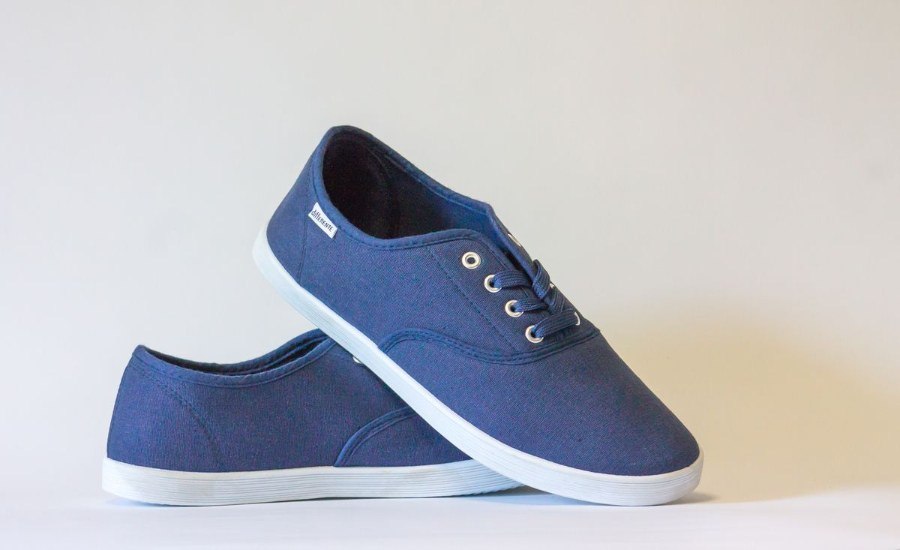
product-after.jpg

portrait-after.jpg
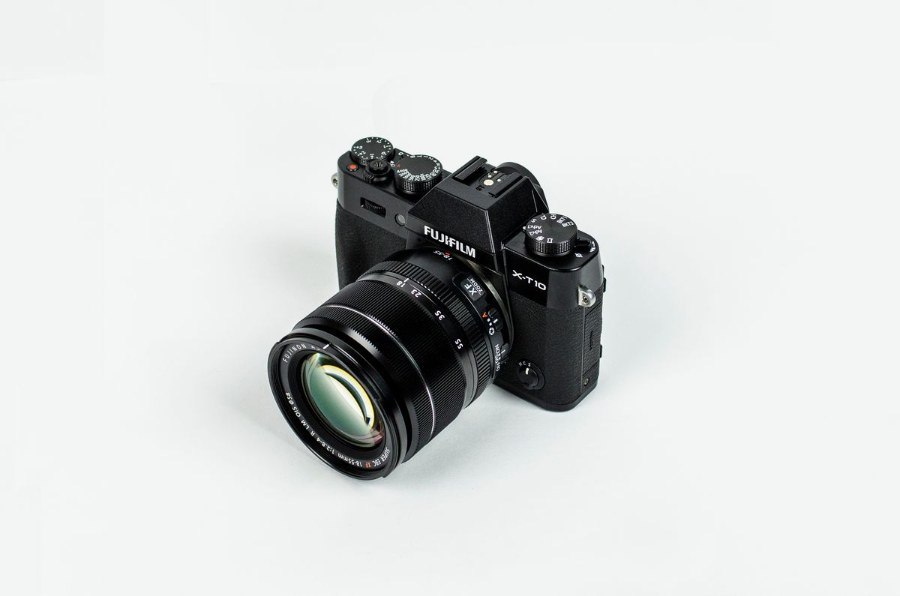
camera-after.jpg
Product Photography Tips for Better Cutouts
- Use even lighting: Harsh shadows on the background edge make AI segmentation harder. Diffused or two-point lighting produces the cleanest masks with minimal manual touchup.
- Leave space around the product: Give at least 10% margin between the product edge and the frame border. This helps the AI distinguish foreground from background accurately.
- Avoid matching colors: If your product is white, don't shoot it on a white background. Use a contrasting surface — gray, green, or blue — for best segmentation results.
- Shoot at high resolution: Upload images at 2000×2000 px or higher. The AI works on the full resolution, so more pixels mean finer edge detail and cleaner masks.